

Get the free Together song
Click here

Coming soon...
 for Artists... the Discography Management System is now active. With the ability to upload your songs, videos and images.... you can create singles, videos and albums easily! Login today and try it!
You can get 1 song of your choice for $1 USD.
Why not benefiting from the monthly or yearly subscription of your choice, still helping independent songwriters and composers, plus the cause of your choice ?
- Monthly subscriptions... Save up to 82% !
- Yearly subscriptions... Save up to 85% !
- Any amount also accepted...
Interested by residual income? Click here ..... Artists, Click here


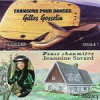
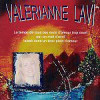


MP3 Single